
The Sims™ FreePlay
ELECTRONIC ARTSSimulation
4.4360.02K Reviews
- Version
- 117.0.278544
- Installs
- 10.00M
- Age Rating
- Teen
Screenshots


Our Review of The Sims™ FreePlay
 Analysis by Appyee
When I share a tablet or phone at home, I’m careful about games that invite everyone to take turns shaping the same little world. The Sims™ FreePlay can make that kind of casual handoff fun: one person might dress a Sim, another might plan a room, and someone else can decide what the household does next. The catch is that the game’s progress and choices are part of the play, so it works best when everyone agrees whether they are taking turns in one game or keeping their play separate.
A shared screen, with clear expectations
This is a life simulation game from ELECTRONIC ARTS, built around creating Sims and guiding their everyday lives. On a shared device, that makes it easy to turn a short break into a small collaborative project. I’d choose one simple goal before passing the phone around—such as changing a room or deciding how a Sim spends a stretch of time—rather than letting several people make unrelated choices at once.
That small bit of coordination matters because the game is not just a set of independent decorating screens. Decisions about Sims, homes, and the town feed into a continuing world. If one player is invested in a particular look or plan, a quick “what should we do next?” avoids the familiar household dispute over who changed what. For a group that enjoys making things together, that shared authorship is part of the appeal; for players who prefer full control, a personal device and a personal play session are a better fit.
Set boundaries before the first purchase
The game is free to start, but it offers optional in-app purchases ranging from $0.99 to $99.99 per item. I would treat that as a practical household conversation, not a minor detail. If a child can use the device, agree in advance whether purchases are off-limits or require an adult’s permission, and check the device’s own purchase settings rather than assuming the game will create a family boundary for you.
There is also a useful distinction between sharing the device and sharing an account or game progress. I would not assume that separate people automatically get separate saves or privacy boundaries simply because they take turns. Before a household settles into one shared world, decide whose game it is, who can make lasting changes, and whether other players are welcome to use it. Those ground rules prevent accidental changes from becoming a bigger issue than the game itself.
Planning around real time
Tasks take real-world time, so I find the game easier to enjoy when I treat it as something to check between other activities rather than a game that demands constant attention. A practical routine is to start a task when you know you will be away from the device, then return later to collect the result and choose the next step. That makes waiting feel like part of the pacing instead of a reason to spend currency to hurry everything along.
For example, if I have a few minutes before dinner, I can check what my Sims are doing, set up a longer activity, and put the phone away. Later, I can decide whether to continue a household project or simply make a small change to a room. The trade-off is that a player looking for uninterrupted, fast-moving action may find these pauses frustrating. I would save premium currency for moments when speeding up genuinely matters to me, rather than spending it whenever a timer appears.
Age context and online play
The game is rated Teen, which is a useful starting point for a family conversation, but it does not replace an adult’s judgment about a particular player or household. I would explain the purchase options and the shared-device rules before handing it over, then check in on how the player feels about the game’s waiting and spending prompts. That is more helpful than treating the age label as a complete guide to every family’s needs.
The game also has an online social element, including visiting friends’ towns and taking part in events. That can make the world feel less solitary, but it is worth considering whether those features suit the player and the household’s comfort with online interaction. I would set expectations about who the player connects with and keep the conversation open, especially for younger players. If a family wants a game with no social component, this is not the best match.
Life in Your Pocket
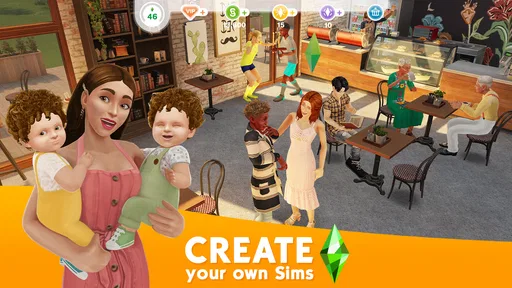
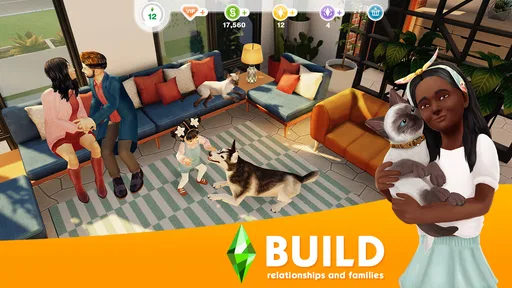
First off, The Sims™ FreePlay is basically like having a miniature world right in your pocket. You get to create and control people—or Sims, as they’re called—and manage their daily lives. From building homes to nurturing relationships, it’s all there. The game does a fantastic job of bringing the classic Sims experience to mobile, which is no small feat.
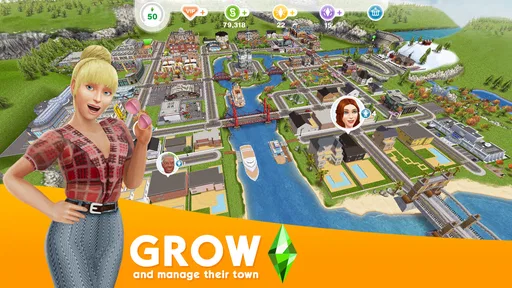
What really hooked me was the level of detail in the customization options. You can personalize your Sims’ appearance, build their dream homes, and even design the entire town. It’s like being the mayor, architect, and interior designer all rolled into one. The touch controls are smooth, making it easy to navigate through different menus and actions.
Gameplay and Features
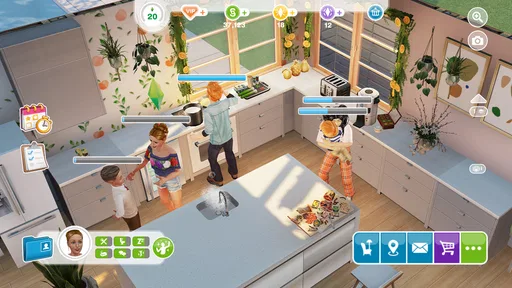
The game kicks off with a basic tutorial to get you familiar with the mechanics. You start with a single Sim and a modest house, but as you progress, you’ll unlock more content and features. The progression is pretty rewarding, as you’re constantly working towards building a bustling community.
One of the standout features for me is the real-time aspect of the game. Tasks take a certain amount of real-world time to complete, which adds a layer of strategy. Do you spend your precious Simoleons to speed things up, or do you let things unfold naturally while you go about your day? It’s a balance of patience and planning.
There’s also a social element where you can connect with friends, visit their towns, and even compete in events. It’s a nice touch that adds a sense of community to the game. Plus, the seasonal events and updates keep things fresh and exciting.
Graphics and Sound
Graphically, the game is impressive for a mobile title. The Sims look vibrant and the environments are detailed enough to make you feel like you’re really part of this little digital world. The animations are smooth, and the quirky Sims language—Simlish—never fails to bring a smile to my face.
The soundtrack and sound effects complement the gameplay perfectly, whether it’s the cheerful background music or the subtle sounds of daily life. It all adds to the immersive experience that’s synonymous with the Sims franchise.
Things to Consider
Now, let’s talk about the elephant in the room—microtransactions. Like many free-to-play games, The Sims™ FreePlay does have its fair share of in-app purchases. While you can enjoy the game without spending a dime, there are times when the temptation to buy extra currency or items is real. It’s all about how you choose to engage with the game.
Another thing worth mentioning is the requirement for an internet connection. Since it’s a live game, you need to be connected to the internet to play. This isn’t a huge issue for most, but it’s something to keep in mind if you’re planning to play on the go.
Choosing it over other simulation games
Compared with a quick puzzle game, this asks you to care about a world over time: you shape homes, make choices for Sims, and return to see how your plans fit together. Compared with larger Sims experiences on PC or console, the appeal here is convenience and touch-based interaction, while the real-time waits make it less suited to a long uninterrupted session. If I want a sandbox I can freely explore for an evening, I’d choose a more immediate option; if I want a creative project I can revisit in short bursts, this mobile format makes sense.
For a first session, I recommend spending time on the tutorial and trying a few kinds of actions before committing to one elaborate design. It gives you a feel for how the menus work and how the game’s pace fits your day. I’d also keep a clear goal in mind—perhaps improving one home or developing a Sim—so the many possible activities feel purposeful rather than like a list of chores.
Who will enjoy the pace
I’d recommend it to players who like decorating, character customization, and watching a community develop gradually. It can also suit someone who wants a low-pressure game to revisit while commuting or relaxing at home, provided they have a reliable connection and do not mind waiting between actions. The free entry point makes it easy to try before deciding whether the style and pacing are for you.
I’d steer away from it if you dislike timers, prefer offline play, or want every session to feel complete without returning later. It is also a poor choice for a shared device when several people expect private, independent progress but have not agreed how to handle the game. These are not small caveats: the experience relies on its ongoing rhythm, and that rhythm will feel either pleasantly relaxed or unnecessarily restrictive depending on what you want from a simulation game.
What the player feedback suggests
The game has an average rating of 4.4 from around one million ratings, with more than 362,000 written reviews and over 10 million installs. I take that as a sign that its blend of customization and long-term play has broad appeal, though popularity does not erase the friction around waiting, purchases, and connection. It is now at version 112.0.0, and it supports devices running Android 7.0 or later; those details are worth checking against an older device before getting invested.
One practical question is whether spending is required to enjoy it. I can see why optional purchases are tempting when a timer interrupts a plan, but I would begin without paying and decide later whether any purchase is worth it to me. Another is whether it works for a quick break: yes, if I’m happy to set something in motion and return later, but not if I expect a short session to deliver a tidy ending. Those expectations make a real difference to whether the game feels relaxing or slow.
Final Thoughts
All in all, The Sims™ FreePlay is a delightful experience for any Sims fan or anyone new to the franchise. It captures the essence of what makes the Sims so beloved while adapting it beautifully for mobile play. Sure, there are some hurdles like microtransactions and the need for a constant internet connection, but the game’s charm and depth easily make up for it.
If you’re looking for a game that offers a mix of creativity, strategy, and a touch of whimsy, give it a go. Whether you’re building your dream house or guiding your Sims through their daily adventures, there’s always something fun to do. So go ahead, start your Sims journey—you might just get hooked like I did!
For a household, my verdict is to try it when everyone understands the shared-device boundaries and the appeal of a slower, ongoing simulation. It can give people a playful reason to collaborate, but it is not a substitute for separate profiles or clear purchase rules. If the family wants an offline game with self-contained rounds, I would pick something else; if you enjoy returning to a growing town and making thoughtful little changes, this is an easy one to keep in rotation.
Verdict
Strengths of The Sims™ FreePlay
- Engaging real-time simulation gameplay.
- Diverse customization options available.
- Regular updates with new content.
- Free to play with optional purchases.
- Social features enhance interaction.
Limitations of The Sims™ FreePlay
- Requires constant internet connection.
- In-game purchases can be costly.
- Progress can be slow without spending.
- Limited offline functionality.
- Graphics can feel outdated.
Other Releases by ELECTRONIC ARTS
View All
Plants vs. Zombies™
Strategy3.7

EA SPORTS FC Soccer Mobile 26
Sports4.6

EA SPORTS™ NBA LIVE Mobile
Sports4.1

SimCity BuildIt
Simulation4.1
Similar Picks in This Category
View All
Truckers of Europe 3
Wanda Software4.3

Town Building Life Simulator
XGame Global4.2

Fidget Toys Trading・Pop It 3D
Freeplay Inc4.7

Sculpt People
CrazyLabs LTD4.4

Scary Teacher 3D
Z & K Games4.2

Hair Tattoo: Barber Shop Game
CASUAL AZUR GAMES4.3
Frequently Asked Questions
What is The Sims™ FreePlay and how does it differ from other Sims games?
The Sims™ FreePlay is a mobile version of the popular life simulation game series, designed specifically for Android and iOS devices. Unlike the PC versions, The Sims™ FreePlay offers a real-time experience where actions take time to complete. It's free-to-play, with in-app purchases available for faster progress and exclusive items.
Is The Sims™ FreePlay free to download and play?
Yes, The Sims™ FreePlay is free to download and play on both Android and iOS devices. However, the game includes optional in-app purchases that can enhance gameplay by allowing players to buy Simoleons, Lifestyle Points, and Social Points, which can speed up tasks or unlock special items and features.
What are the system requirements for The Sims™ FreePlay?
The Sims™ FreePlay requires a device running Android 4.1 or later, or iOS 9.0 or later. It also requires a stable internet connection to download additional content and participate in social features. Make sure your device has enough storage space, as the game may require additional downloads and updates.
Can I play The Sims™ FreePlay offline?
No, The Sims™ FreePlay requires an active internet connection to play. This connection is necessary for downloading updates, content, and participating in online events and social interactions with other players. Offline play is not supported, so ensure you have a stable connection before starting the game.
How does aging work in The Sims™ FreePlay?
In The Sims™ FreePlay, Sims age through various life stages: Baby, Toddler, Preteen, Teen, Adult, and Senior. Aging occurs in real-time, and players can use Birthday Cakes to age Sims faster. Managing a Sim's life cycle is crucial for progressing in the game and completing certain tasks and quests.
Play our best games!


